Gemini CLI配置教程
在日常内容创作、技术文档编写或多语言博客管理中,翻译大量文本往往耗时耗力。Google 推出的 Gemini CLI 为这一场景带来了全新的解决方案,通过命令行即可调用 Gemini 的翻译模型,实现批量、高效的文章翻译。
更新说明:Google 已宣布 Gemini CLI 迁移到 Antigravity CLI。若你现在要新搭环境或继续维护工作流,优先阅读这篇最新迁移教程:Gemini CLI 即将停服:如何迁移到 Antigravity CLI?2026 最新教程 。
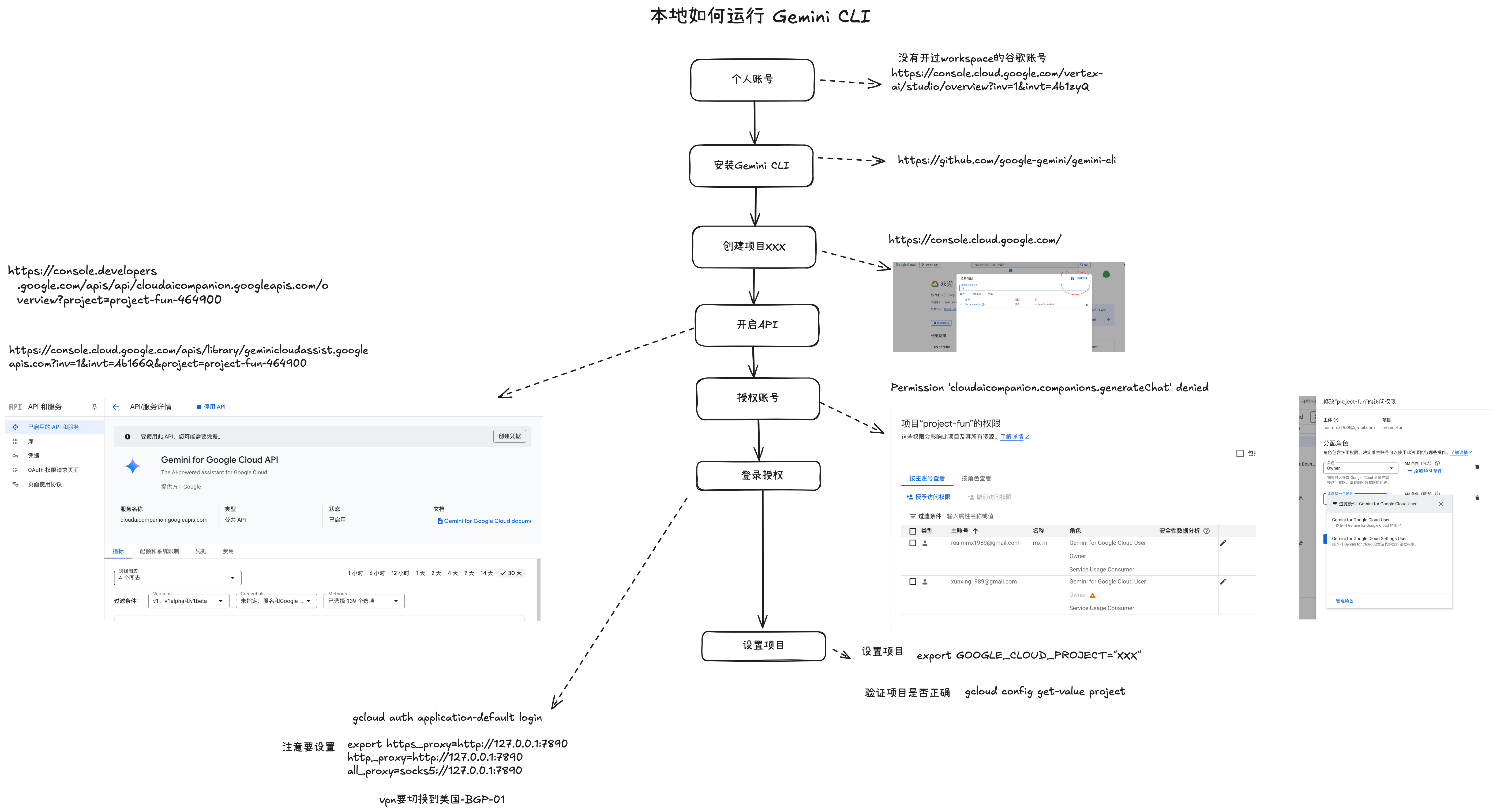
gemini setup steps
Gemini 设置环境变量
echo 'export GEMINI_API_KEY="AIzaSyDotsntj" >> ~/.config/fish/config.fish
测试翻译常规用法
echo "Please translate the following Chinese text to English: 测试标题" | gemini
References
- Gemini CLI GitHub Repository — Official Gemini CLI source code and documentation
- Google AI Studio — Google’s web-based tool for prototyping with Gemini models and obtaining API keys
- Gemini API Documentation — Official Google Gemini API reference and getting started guides
AI / Agent、全栈工程与一人公司的新文章
我写 AI 与 Agent、全栈工程,以及一个人做公司的实践。文章发布后会发到你的邮箱。没有垃圾邮件,随时可以退订。