Gemini CLI Configuration Tutorial
In daily content creation, technical documentation writing, or multilingual blog management, translating large amounts of text is often time-consuming and labor-intensive. Google’s Gemini CLI offers a new solution for this scenario, allowing you to invoke Gemini’s translation model via the command line to achieve bulk, efficient article translation.
Update: Google has announced the transition from Gemini CLI to Antigravity CLI. If you are setting up a new workflow today, start with this migration guide: Gemini CLI Is Being Sunset: How to Migrate to Antigravity CLI in 2026 .
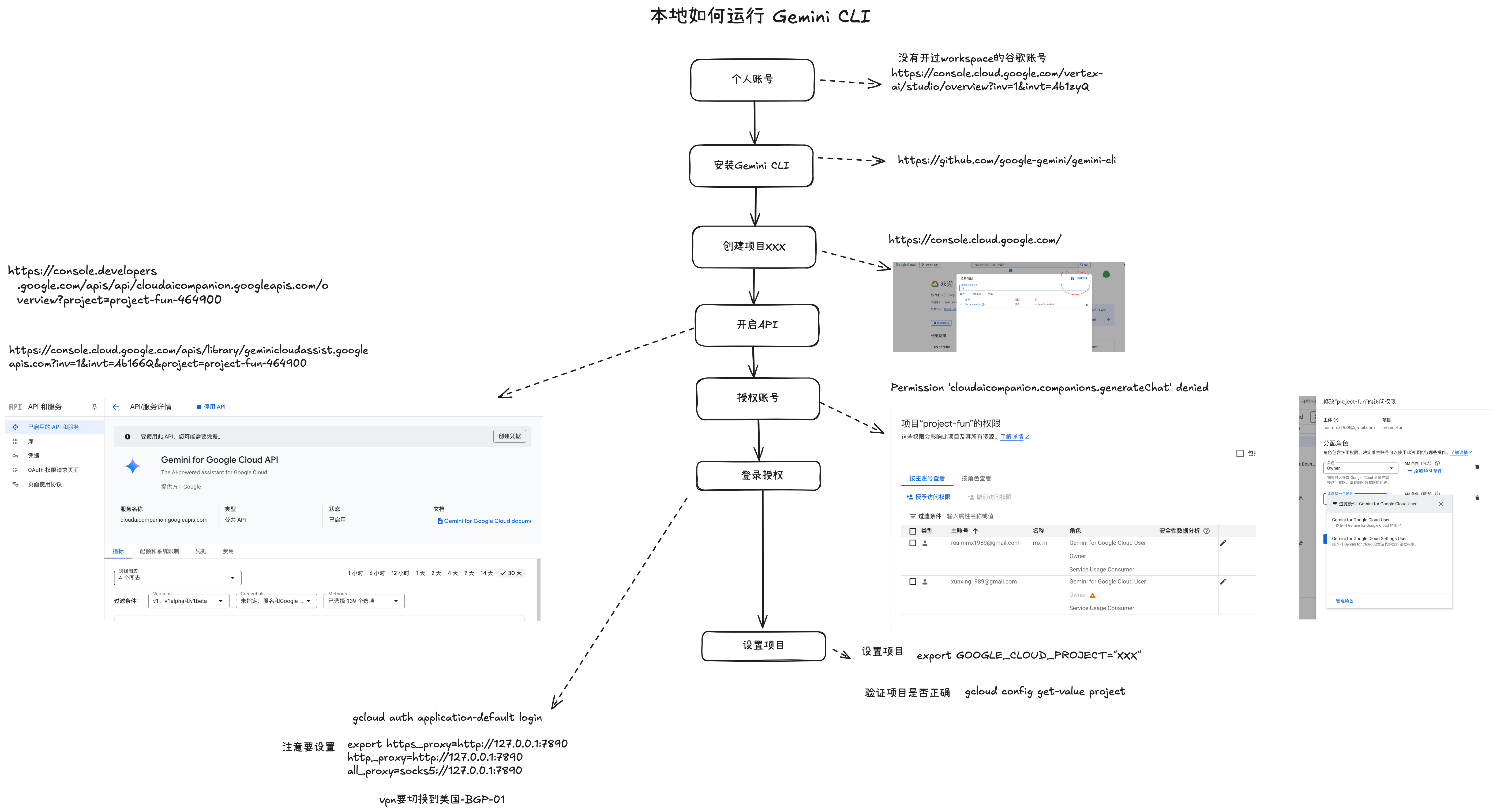
gemini setup steps
Set Gemini environment variables
echo 'export GEMINI_API_KEY="AIzaSyDotsntj" >> ~/.config/fish/config.fish
Test translation usage
echo “Please translate the following Chinese text to English: Test Title” | gemini
References
- Gemini CLI GitHub Repository — Official Gemini CLI source code and documentation
- Google AI Studio — Google’s web-based tool for prototyping with Gemini models and obtaining API keys
- Gemini API Documentation — Official Google Gemini API reference and getting started guides
New articles on AI agents, full-stack engineering, and a one-person company
I email new writing about AI and agents, full-stack engineering, and building a one-person company. No spam, and you can unsubscribe anytime.